Look around
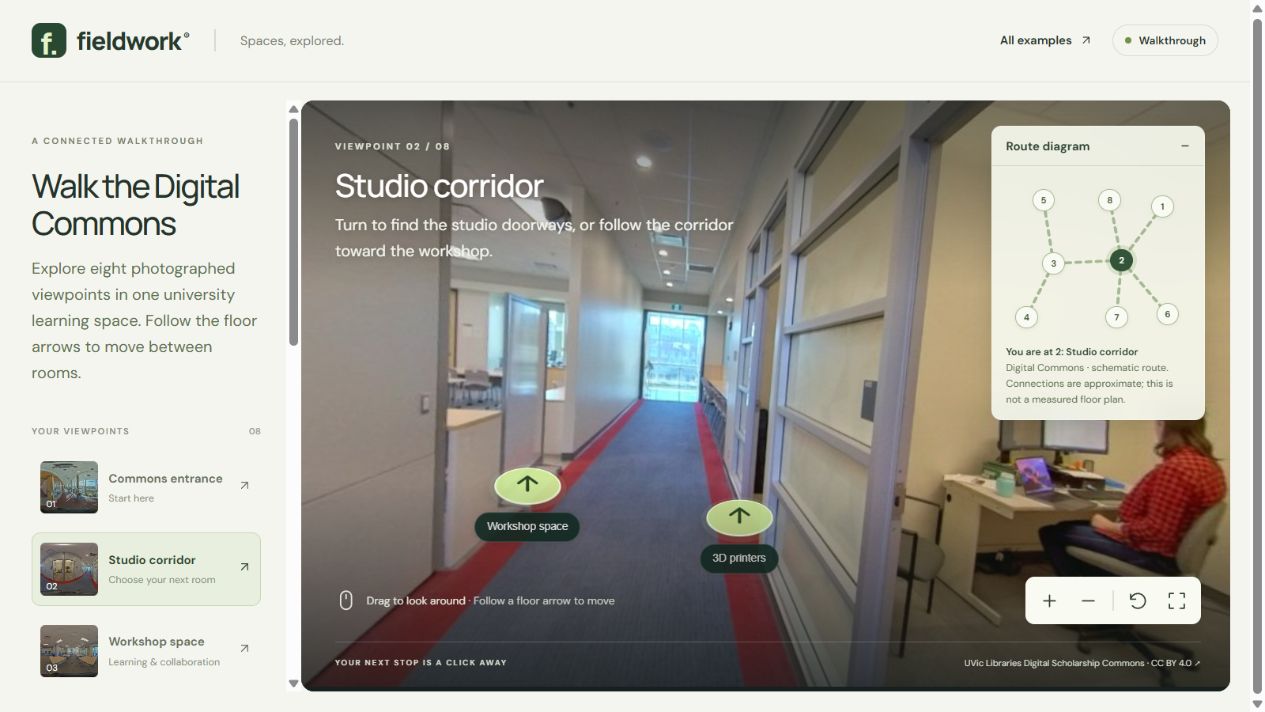
A responsive 360° viewer with scene navigation, information hotspots, and image credits.
Case study · Interactive web application
A way to explore real spaces from a browser—and a studio to build the walkthrough yourself.
01 / The idea
A factory, warehouse, or shared workspace is hard to understand from a flat image gallery. I started Fieldwork as a small panorama prototype, then expanded it into a visitor experience and an authoring tool.
Visitors can look around each photographed position and follow arrows to the next. The studio lets an administrator upload panoramas, connect those positions, and publish a tour without changing code.
A responsive 360° viewer with scene navigation, information hotspots, and image credits.
Floor arrows connect viewpoints. A schematic route diagram highlights your current position.
Aligned panorama headings preserve viewing direction, pitch, and zoom as you move between scenes.
02 / Authoring
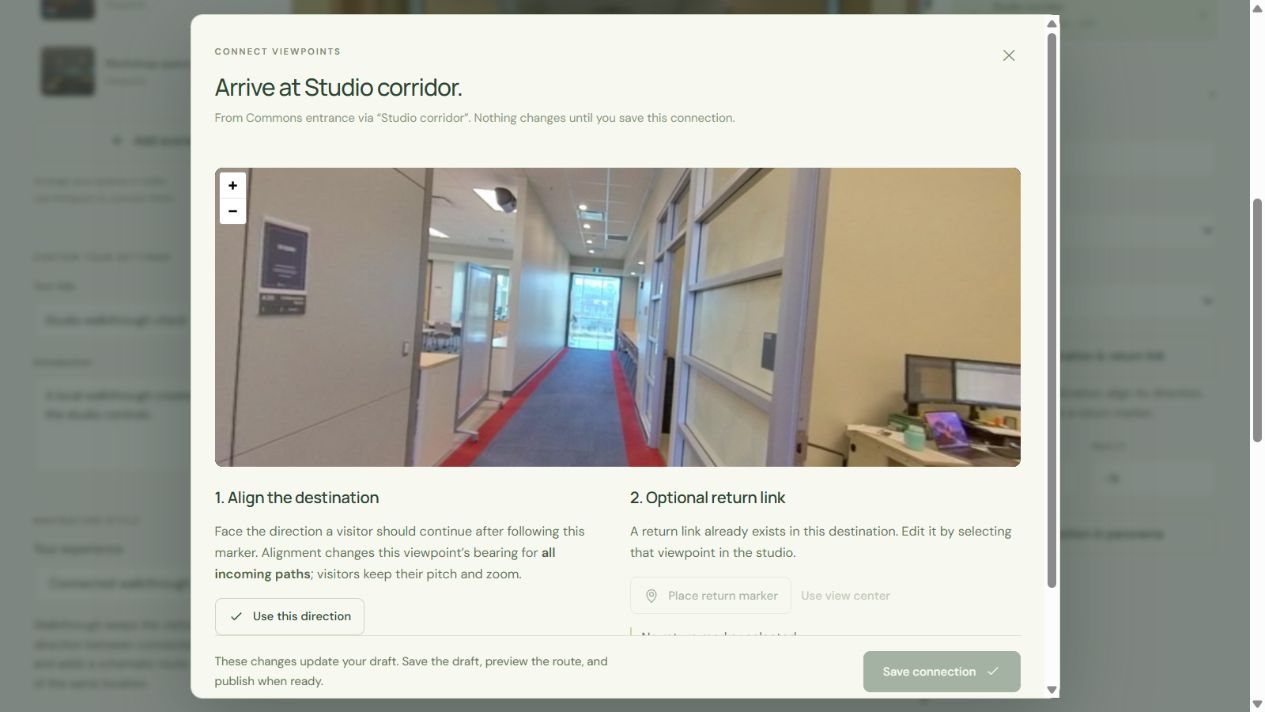
The editor makes the connections visible. Each path and return marker is placed deliberately in the panorama.
Add several 2:1 panoramas together. The browser validates, resizes, and compresses images before storage.
Click to place a destination hotspot, choose its viewpoint, then visually set the arrival direction and an optional return link.
Arrange the route diagram, save the draft, and walk through it. Publishing copies the saved draft into a separate visitor snapshot.
03 / Under the hood
TypeScript, Vite, and Pannellum render the tour and run the editor.
Auth handles sign-in; Postgres stores documents; Storage holds panorama images.
Netlify serves the built frontend. Supabase policies enforce administrator access, and publication creates a snapshot so a saved draft does not immediately change the public tour. Version checks catch edits made from an older tab.
The same editor can also run without Supabase using IndexedDB. In that mode, drafts and publication stay in the current browser. JSON import and export provide a portable backup in either mode.
04 / Decisions & scope
The walkthrough moves between photographed positions. It does not reconstruct a 3D model or allow continuous free movement. Good results depend on overlapping viewpoints from the same place.
The viewer preloads at most two adjacent panoramas at a time and skips preloading on data-saving or slow 2G connections. Upload processing caps images at 4096 × 2048.
The current studio manages one custom draft and one published tour, with up to 20 viewpoints. The example collections are separate. The route diagram is a navigation aid rather than a measured floor plan.
Photography in these screenshots: UVic Libraries Digital Scholarship Commons, CC BY 4.0. Images resized and recompressed; interface and route added in Fieldwork. Full scene credits are available in the live application.
Take a look around
Explore the connected Commons walkthrough or browse the public example collections.